DMR Radio Systems

A channel plan decides who hears whom. It is built from how teams actually work, not from the number of frequencies available: talkgroups per function, channel names users recognise, scan lists that do not swallow conversations, and a separate emergency path.
Radio systems are blamed for problems that are almost always programming. "We can't hear each other", "everyone talks over everyone", "the wrong people hear things" — none of these are hardware faults. They are the result of a channel plan that was either designed around the equipment or not designed at all.
A channel plan defines who hears whom, on what, and when. In an analogue system it maps frequencies and tone squelch to channels. In a digital system it maps talkgroups, timeslots, contact IDs, scan lists, emergency behaviour and per-role permissions.
It is a description of the organisation, expressed in radio configuration. Which is why it cannot be written by a supplier who has not been told how the teams work.
Before touching programming software, write down:
A hotel, a warehouse and a hospital will produce three different plans from the same hardware.
The most common failure is putting everyone on one channel. Radio traffic that made sense with eight users becomes unusable at forty: people hear a constant stream of things that do not concern them, stop listening, and then miss what does.
The opposite failure is rarer but real: so many groups that nobody can be reached without knowing which one they are on.
A workable structure for a typical site:
In DMR, two timeslots on one frequency pair give two simultaneous conversations, so a small site frequently needs one pair rather than two. In Tier III trunking the mapping changes shape: users belong to talkgroups and the system assigns a channel per call, so the plan becomes a talkgroup and priority design rather than a frequency layout.
Channel names appear on a small screen, often read in a hurry, sometimes in poor light by someone wearing gloves.
`CH1 452.1250` tells a user nothing. `SECURITY` tells them everything. Names should be the team's own vocabulary, short enough to display in full, and consistent across every radio in the fleet — including vehicle mobiles and the control room, which are frequently programmed separately and drift.
The same applies to the channel order. Put the channel a user needs most in position one, so the radio is correct when switched on rather than after someone has turned the knob.
Scanning lets a radio monitor several channels. It is genuinely useful and it is routinely overused.
The cost is structural: while the radio is checking another channel it can miss the opening of a transmission on the user's own group. Users then hear "…to gate three" and have to ask for a repeat, which doubles the traffic that scanning was supposed to manage.
Guidelines that hold up: keep lists short, set priority scan on the user's home group so it is always re-checked, give scanning only to roles that genuinely need cross-team awareness, and never place an emergency channel in a routine scan list where it competes with ordinary traffic.
The emergency button is not a channel selection, it is a sequence, and it should be specified deliberately:
Test this at acceptance, on the real system, with the real control position. An emergency function nobody has ever triggered is an assumption, not a feature.
Decide what a user may alter. Transmit power, channel selection within their allowed set, volume — usually yes. Adding channels, changing IDs, disabling the emergency key — no.
Digital systems allow a radio to be identified on every transmission and remotely disabled if lost. Both belong in the plan: identification because "someone said something" is not accountable, and remote disable because a modern handset is a credential as much as a device.
A channel plan is not delivered once. Departments change, sites are added, teams merge.
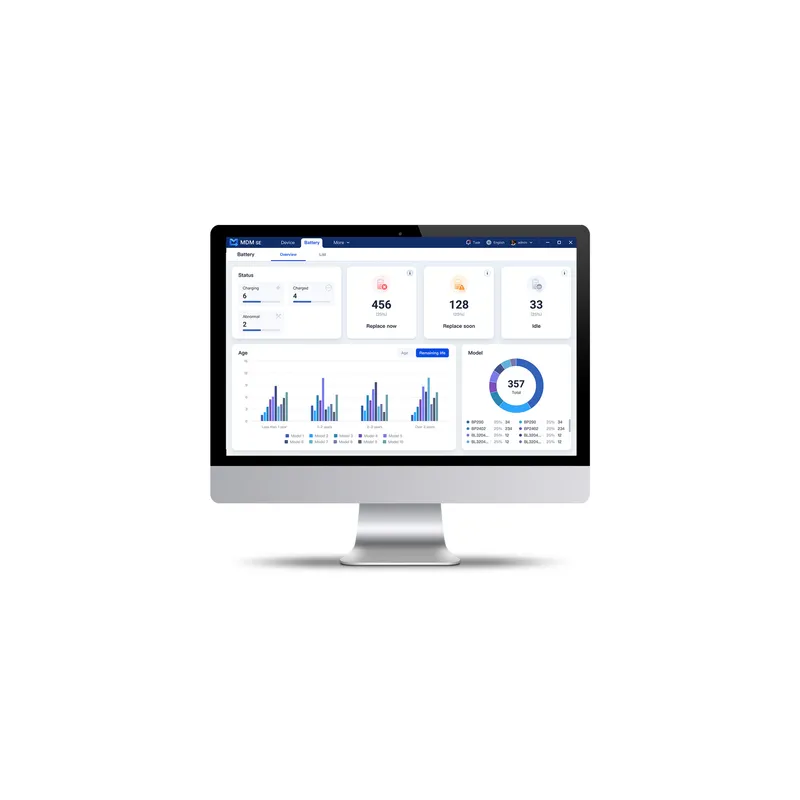
Three practices prevent decay. Keep a master codeplug owned by the organisation, exported with a version and a date, so a replacement handset is programmed in minutes. Keep a written plan document alongside it, describing what each group is for, so the next person can reason about it. And re-issue the whole fleet when the plan changes rather than reprogramming the radios that happen to be in the office — a fleet at two different versions produces exactly the intermittent, unrepeatable faults that get blamed on the equipment.
The details of doing that at scale are covered in managing a radio fleet.
Ask for programming as a deliverable, not as a courtesy:
As many as there are groups of people who need to coordinate without interrupting others, plus one shared group everyone can be reached on, plus an emergency path. For most sites that is between three and eight. Fewer makes the channel unusable; many more makes users hunt for the right one.
No. A user who can select twenty channels will eventually be on the wrong one, and nobody will know. Give each role the channels it needs and one shared group. Supervisors and control room positions are the exception and should have the wider view.
Scan is a compromise: while the radio is listening elsewhere it can miss the start of a transmission on your own group, so people hear half of what was said. Use scan sparingly, keep lists short, set priority on the user's home group, and never scan an emergency channel into a routine list.
The organisation, not only the supplier. A current master file, exported and stored with a version and a date, is what makes replacing a lost handset a ten-minute job. Sites without one rebuild the configuration from a working radio and inherit whatever drift is on it.
The Hytera product range, TechnoRF engineering, installation, maintenance, technical service and business continuity planning — brought together into a system designed for how your operation actually works.
We deliver not only what you need, but more than you expect .